For seniors and the people who care about them

A calm second opinion before someone responds, pays, buys, or panics.

Senior Scam Check helps you look at a confusing letter, bill, offer, or payment request before you act on it. Just take a picture to receive a plain-language assessment of the warning signs it finds. If the result is uncertain and the senior wants a second opinion, a family caregiver paired in advance can review the same item—only after the senior says yes.

Private alpha now. Not a replacement for independent verification or professional advice.

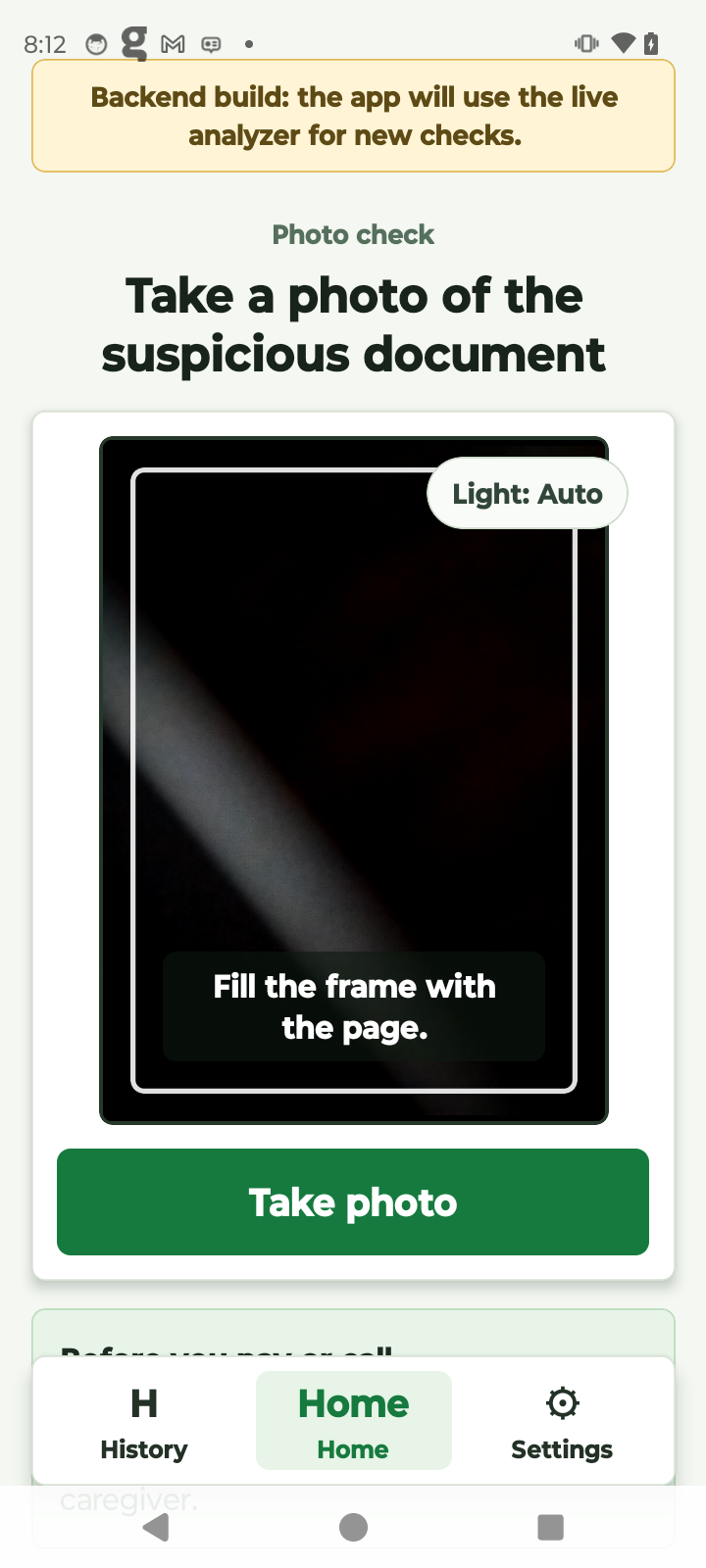
Senior Scam Check photo-check screen on Moto G Play

HOME PROTECTION NOTICE

FINAL NOTICE

Your home warranty
may be expiring.

Call today to review your coverage options before this offer expires.

Reference numberHP-482917

This is a sample document for demonstration only.

Caregiver Review Request

Shared document

A review has been requested

The person you support asked you to take a second look before acting.

1 page shared from the senior phone

HOME PROTECTION NOTICE

FINAL NOTICE

Your home warranty
may be expiring.

Call today to review your coverage options before this offer expires.

HP-482917
Tap to enlarge

Why this was sent for review: This notice asks for a call before coverage expires. Verify the sender using contact information you find independently.

Looks okayDo not proceed
One Simple PhotoBuilt for the moment a document feels confusing.
Plain-language guidanceClear observations and cautious next steps.
Caregiver controlNothing is shared unless the senior confirms it.
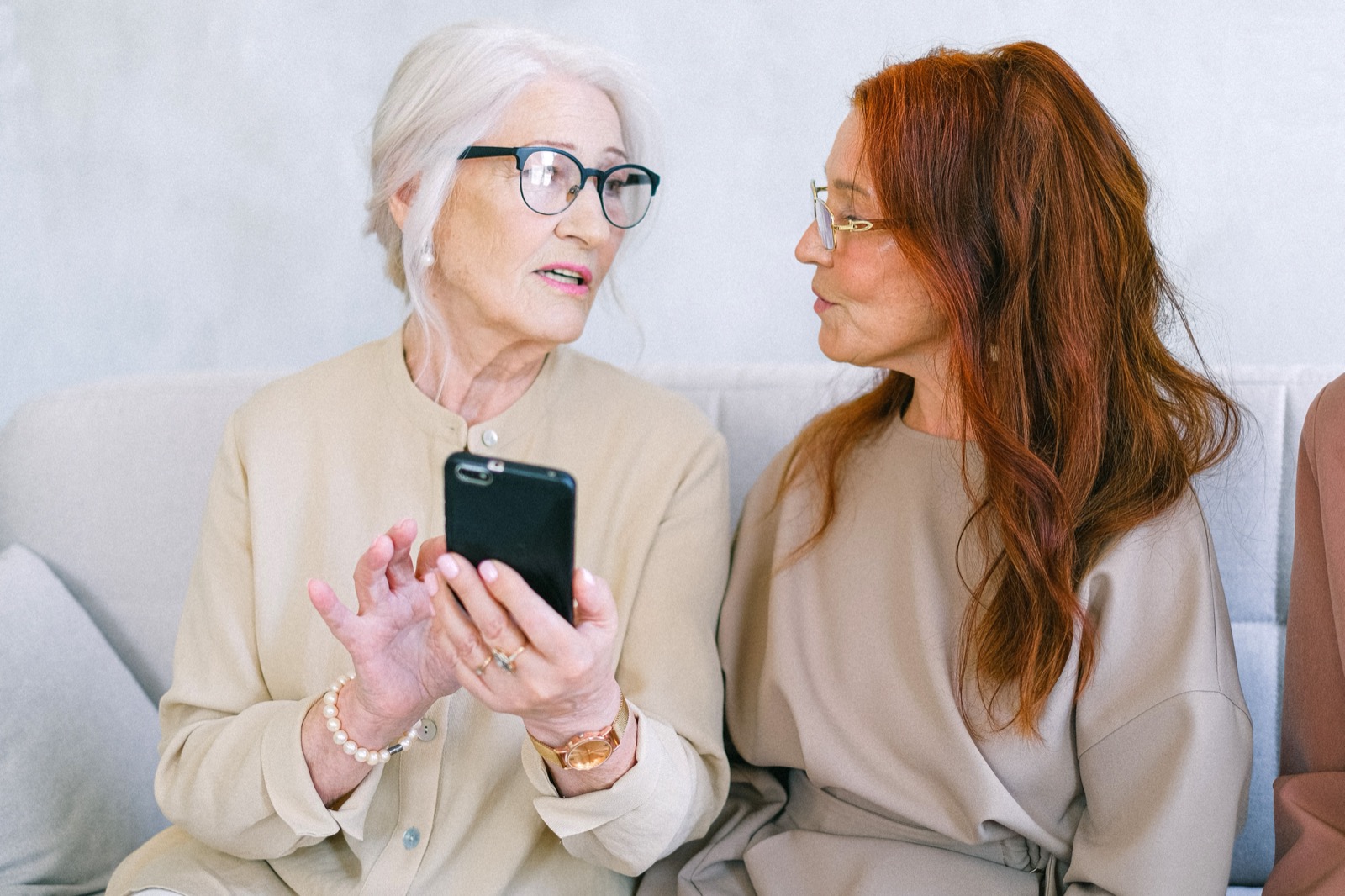
An older adult and caregiver looking together at a document

A second set of eyes

Support without taking control away.

The senior decides what to share, and when.

How it works

Three calm steps. No security dashboard.

Designed for physical mail, bills, notices, product offers, and payment requests—not just suspicious texts and links.

1

Take a picture

Photograph one or more pages. Retake or remove a page before anything is analyzed.

2

Get a clear next step

See what the app noticed, what remains uncertain, and a safer way to verify independently.

3

Ask someone safe

Send that specific document to a paired caregiver only when the senior chooses to share it.

Made for everyday uncertainty

Not every confusing item is a scam. That is the point.

✉

Unexpected letter

“Is this legitimate, or should I leave it alone?”

$

Bill or statement

“Do I need to pay this now?”

!

Urgent-looking notice

“Why are they telling me to act today?”

+

Product or service offer

“Should I buy this or ask someone first?”

Know the scams

Pause when a message tries to rush you.

Scams change constantly, but many use the same playbook: urgency, fear, an unexpected reward, or a demand to pay in an unusual way.

Urgent payment demand

“Pay today,” “final notice,” or “act now” language is meant to short-circuit a careful check.

Impostors

Someone may claim to be from a bank, government office, utility, delivery company, or a loved one in trouble.

Unusual payment instructions

Gift cards, cryptocurrency, wire transfers, cash pickup, or a request to send money to a new account are major warning signs.

Unexpected offers

A prize, refund, warranty offer, or investment opportunity can be real—but verify it using a phone number or site you find independently.

Before you respond

Stop. Do not use the contact information in the message.

Use a statement, the back of a trusted card, or an official website you type in yourself. When in doubt, ask a person you trust.

Check a document in the app

If money has already been sent or an account may be compromised, contact the bank, card issuer, or service provider directly using a trusted number.

For caregivers

Be there for the decisions that matter—without taking over.

A senior chooses the exact document to share. You receive a private alert, open the page in the app, inspect it closely, and send back a simple response.

  • Pair with a short code
  • See only documents explicitly shared with you
  • Zoom in before responding
  • Reply “Looks okay” or “Do not proceed”
  • Senior receives the response in the app

Questions

What Senior Scam Check is—and is not.

Does it guarantee a document is safe?

No. It provides AI-assisted observations and a cautious next step based on the photo you submit. Always verify important payment, account, medical, benefits, legal, or deadline information using a contact method you independently trust.

Does it automatically send my documents to my family?

No. Pairing does not share documents. The senior chooses each document and confirms sharing before a caregiver can review it.

What kinds of items can it help with?

Letters, bills, statements, notices, payment requests, offers, and other confusing mail or screenshots. It is built to help someone pause before responding, paying, buying, or ignoring something important.

Is it a substitute for legal, medical, financial, or fraud-recovery advice?

No. It is an informational support tool. For urgent concerns, suspected account compromise, money already sent, or immediate danger, contact the relevant bank, issuer, authority, professional, or emergency service directly.
Read our FAQ, including how we use scam-safety sources

A calm next step

What to Do With a Suspicious Bill Before Paying

A calm, one-page checklist for you and your parent.

Thanks, it's on the way.

Private alpha

Interested in trying Senior Scam Check?

We are preparing a small early-access group of seniors, caregivers, and families.

A calm next step

What to Do With a Suspicious Bill Before Paying

A calm, one-page checklist for you and your parent.

Thanks, it's on the way.